In MC2 we don’t just fix computers all the time.
You also have the choice of having a go on the hacking Chromebook. The difference with this Chromebook is it’s not ChromeOS, as we have wiped the Chrome OS off and instead we’ve loaded a special type of Linux operating system called Kali Linux.
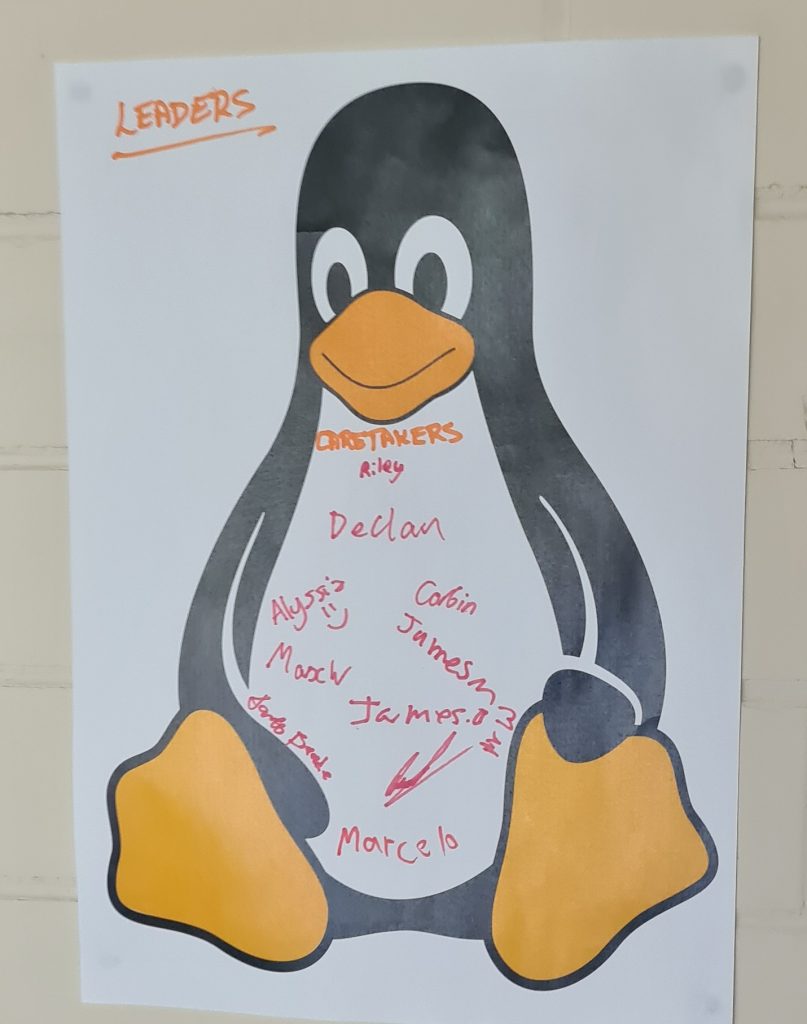
We have a club mascot which is Tux the Penguin. This is the logo of the Linux kernel. When a person passes the Recruit stage and becomes a Caretaker they get to put their name on this penguin.
From Wikipedia:
Tux is a penguin character and the official mascot of the Linux kernel.[1] Originally created as an entry to a Linux logo competition, Tux is the most commonly used icon for Linux, although different Linux distributions depict Tux in various styles. The character is used in many other Linux programs and as a general symbol of Linux.
Debian 12 is often installed because there is more capability than with Chrome OS, and it gives access to things like the terminal, which can be programmed to do basically anything.
The only problem with Debian 12 is that on installation some drivers can be skipped. When I installed it for the first time there was a problem with the audio drivers, and the speakers wouldn’t produce sound. It worked OK with Bluetooth though.
.
/
Past / Current / Future activities and facilities.
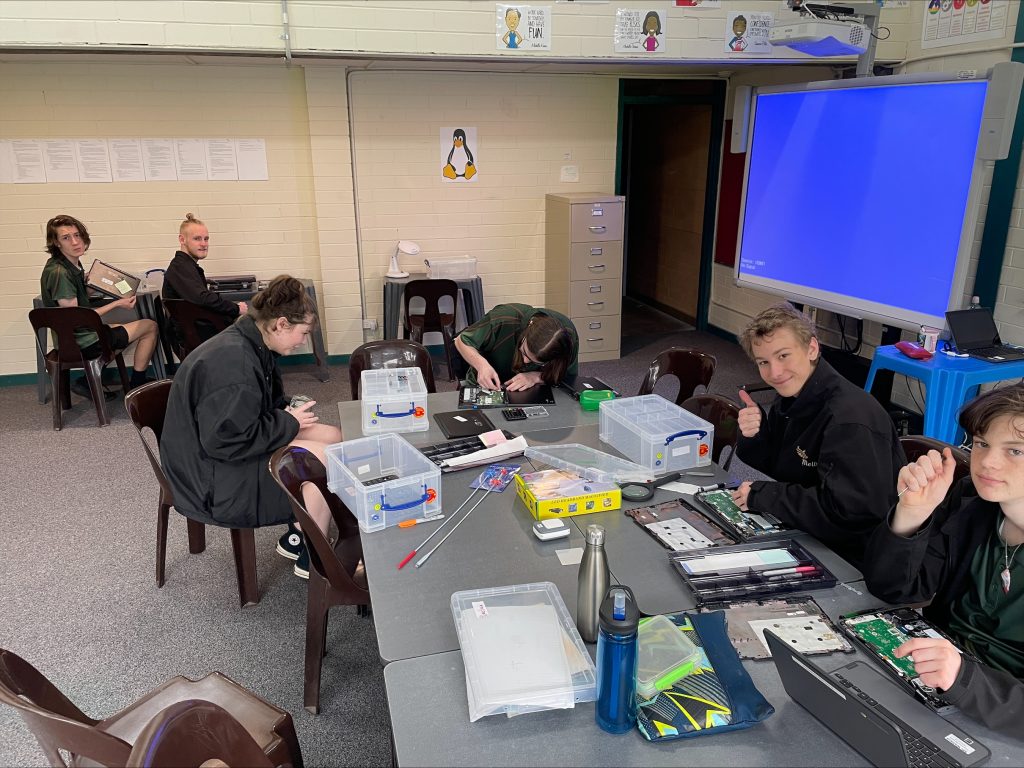

We have a Korg Triton ProX Synthesiser, the Arturia V-Collection Pro 11 and a Tiertime X5 3D Printer. The music department passed on some desktop computers to us, and we use these as Creative and Design machines. Chris also gave us 2 broken classroom desktops which we have combined to give us a music computer with the Mixcraft 10 Studio DAW and the complete Arturia V Collection Pro 11. Our audio interface was also donated by the music department. It’s a PreSonus Revelator io24. All audio is routed back to the excellent speakers on the whiteboard and projector system.
The Autodesk suite (with Fusion for 3D design), the Adobe Suite (with In Design and Illustrator, along with Photoshop) and the Microsoft 365 suite is installed on one computer, along with the music software.. The other has Fusion and the UP program for slicing STL files and sending designs to our 3D printer.
Our club LAN is set up with it’s own WiFi. Club Members may use computers on our LAN as targets for the Kali Linux hacking machine. It also allows our Creative & Design computer to wirelessly attach to the 3D printer. We use the college network as our ISP.
There is a CentOS server with 3 KVM Virtual Machines running on it. These provide website, wiki and music systems. Club members manage these VM’s.
In 2025, we have flashed 26 Chromebooks to Debian Linux for classroom use. 13 of these are for the Woodwork room, to allow design and running of jobs on the Laser Engraver in the STEM centre for course work. The other 13 are for use by the Year 10 Computing subject students to learn about networking and multi-user systems along with remote server management.
We have a Raspberry Pi which also runs Linux. This can be used as a controller for lighting systems like Christmas lights, along with other projects. There are some BBC micro:bits as well which can communicate with each other through Bluetooth, and control remote controlled cars.
As Chromebook cabinets are retired across the school, we use them for both charging our own fleet, and preparing them for sale to the public as a Term 3, 2025 e-commerce exercise.
Last year we watched Bathurst on our large touchscreen projected whiteboard. It has great sound too. We have a small library of books on different computer topics including creating apps for Android phones. The workshop doubles as a kitchen with fridge, microwave, toaster, kettle, coffee machines, telephone extension and a sink. Our clubhouse even had its own toilet.
Spotify is always running, with club members able to add to the queue of music playing at any time during a club meeting.
In the future we may create a podcast creation and video shooting/editing facility, along with an Internet Radio production and broadcasting facility.
Author

neil.wallace@melba.vic.edu.au